byte 1
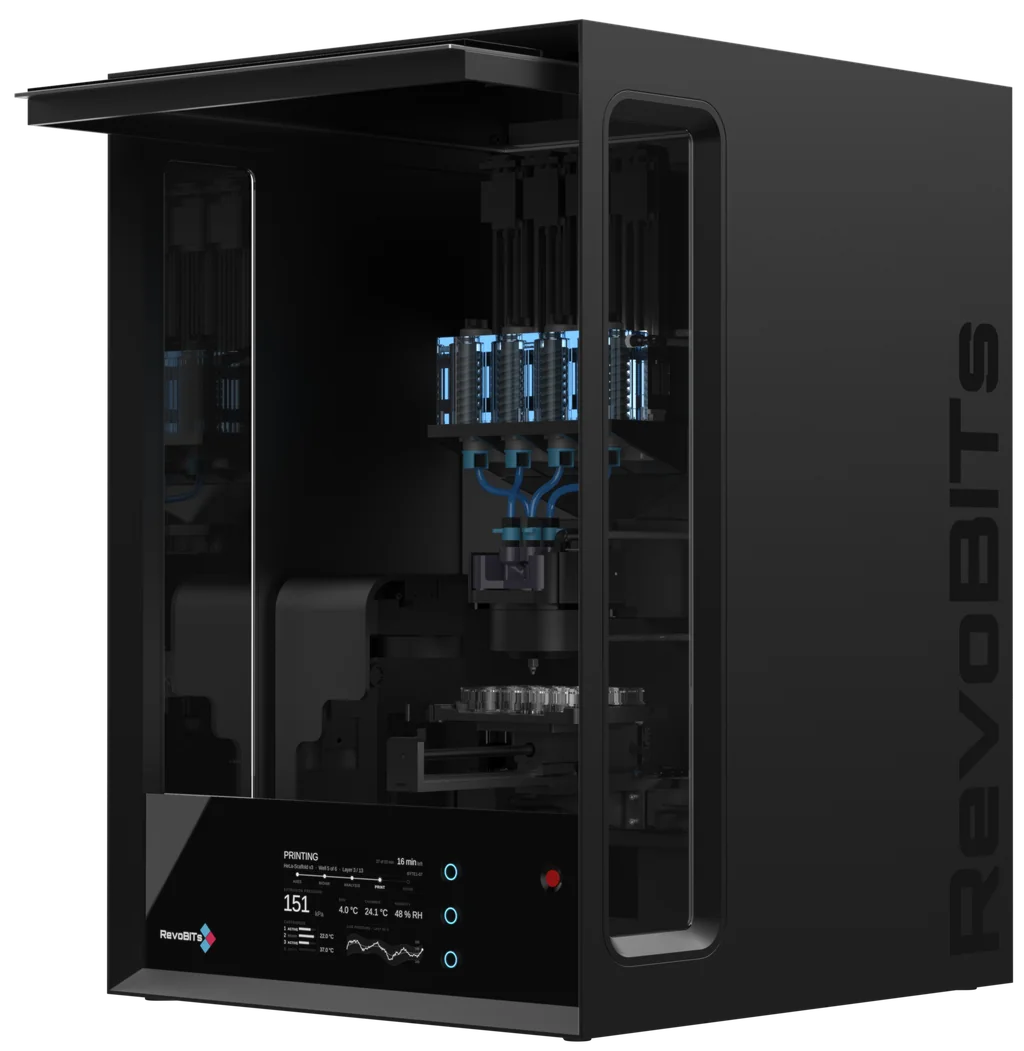
Multi-material bioprinting with inline characterization.
Control your bioink from cartridge to nozzle. Integrated sensors characterize material properties during printing, so you know how your bioink behaves throughout the process.
- Up to 4 materials, 100 material compositions. No toolhead switching.
- One nozzle
- From cartridge to nozzle. 2 independent temperature zones, each from 4–50 °C.
- Seamless water tempering
- Material characterization so you know how your bioink behaves during printing.
- In-print sensing
- From tissue model preparation through in-print monitoring to data analysis.
- Dedicated software
Take Control of Your Print
Bring control and clarity to every step, from tissue model preparation to reviewing your print data.
Hardware
- Extrusion technology
- Direct drives
- Standard nozzles
- G20–G32
- Printable materials
- 100 mPa·s–5 kPa·s; 4–50 °C
- Print resolution
- Depends on nozzle; G32 inner diameter: 108 µm
- Build volume
- Depends on substrate: well plates, Petri dishes up to 100 mm, support baths up to 128 × 86 × 50 mm
- Temperature range
- 4–50 °C
- Dimensions
- 60 × 60 × 70 cm
- Modularity
- Custom printhead modules, e.g. a mixing unit
Software
- Made for bioprinting
- A custom interface built around tissue model preparation, printing, and analysis.
- Your data stays local
- Data is stored and processed locally, keeping it under your control.
- Continuous data capture
- An always-on background database saves experiment data to help prevent data loss.
- Built on G-code
- A familiar, flexible foundation for defining and running your prints.
- Gradient SVG to multi-material G-code
- The first software to turn gradient SVGs into multi-material G-code.
- From digital tissue model to experiment data
- A new approach that connects your tissue design with the data generated during printing.
From Preparation to Analysis
byte 1 covers every step, from tissue model preparation to in-depth print analysis.
Design your tissue model
Create your digital model, choose the inks, and define requirements such as nozzle size and temperature.
Prepare the printer
Calibrate the printer, load your inks, and heat or cool it to the desired temperature.
Prepare your ink profiles
Use already characterized inks and load their profiles, or characterize your inks directly in the printer to create new profiles.
Load your model with ink profiles
Apply the characterized ink data to your digital model.
Print your tissue model.
Analyze in depth
Turn your print data into insight. Analyze material behavior, spot deviations, and check how your print performed as soon as it finishes, before incubation begins.
Not ready for a demo?
Get the Reproducibility Report
The round-robin data, the root causes behind irreproducible bioprinting, and what actually fixes them.
We’ll use your email to follow up on your report request and occasionally send you updates about bioprinting, RevoBITs, and our products. You can unsubscribe at any time. Open form in a new tab